
1. Registering the carrier service (setup)
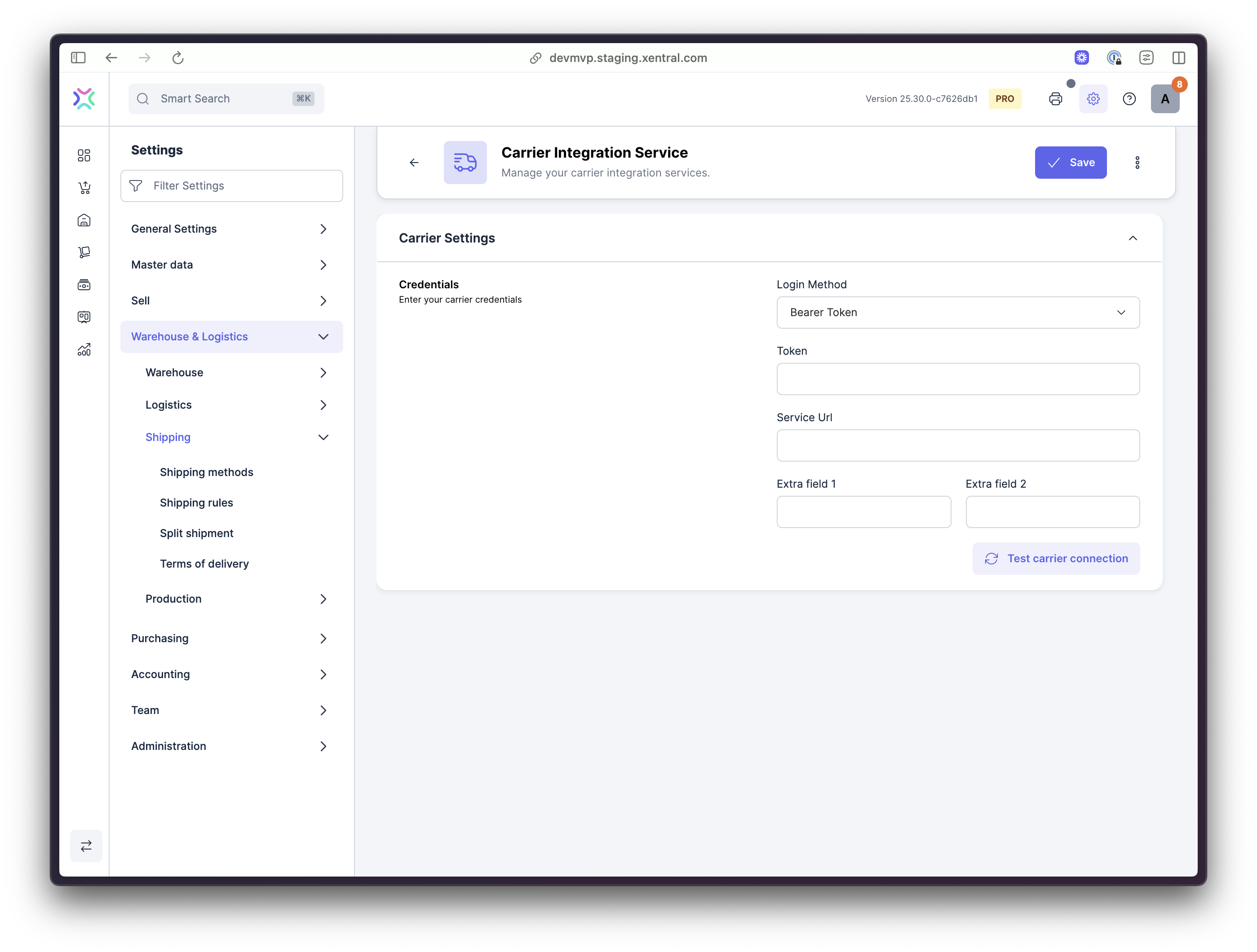
The initial configuration screen of the Carrier Service in Xentral (settings > Warehouse & Logistics > Shipping > Shipping Method > Add > Carrier Integration Service)
Your carrier service integrates with Xentral through an initial setup endpoint that registers available carriers and their capabilities. This integration automatically creates shipping methods within Xentral's logistics system.
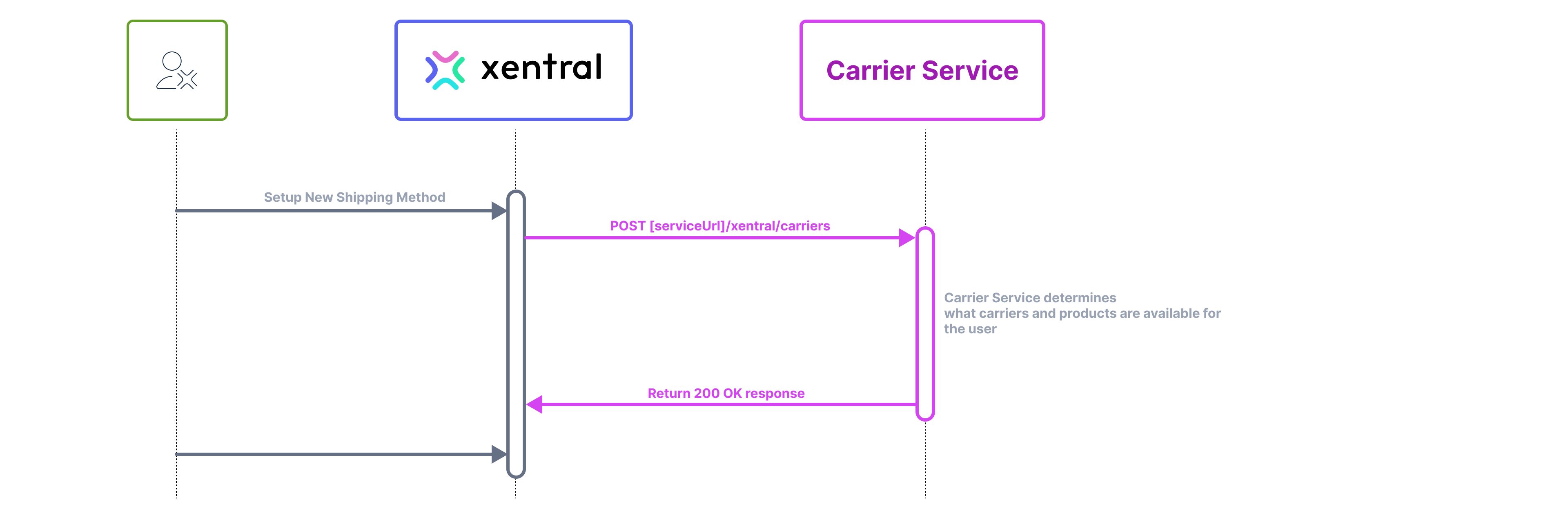
A request flow diagram of a user setting up a new Shipping Method using a custom Carrier Service
When testing the integration, Xentral calls your /xentral/carriers endpoint to validate the connection and retrieve available services:
curl --request GET \
     --url [https://your-carrier-service.com]/xentral/carriers \
     --header 'Accept: application/json' \
     --header 'Authorization: Bearer [token]' \
		 --header 'Accept-Language: en-US'
No additional setup fields currently availableExtra field 1 & Extra field 2 are optional and currently ignored by the service. In the future they can be used to propagate additional information such as a DHL billing number, or some other information necessary for carrier setup.
Your endpoint must return a standardized JSON response containing available carriers, their shipping products, and configuration options. Here's an example response structure:
{
  "carriers": [
    {
      "name": "Post Swiss",
      "id": "post-ch",
      "products": [
        {
          "id": "post-ch-express",
          "name": "Express",
          "description": "The express shipping method of Post Swiss",
          "label": {
            "type": [
              "pdf",
							"zpl"
            ],
            "size": [
              "A4"
            ],
            "orientation": [
              "portrait"
            ]
          },
          "insurance": {
            "available": true
          },
          "shipmentType": [
            "outbound",
            "return"
          ]
        }
      ]
    }
  ]
}
This response defines:
- Carrier:
Post Swisswith IDpost-ch - Product:
Expressshipping service- Supports A4 labels in PDF or ZPL format
- Handles both outbound and return shipments
- Optional insurance coverage available
Authentication
Your service must support one of three authentication methods: Bearer Token, Basic Auth, or OAuth 2.0 Client Credentials. Each method generates different request headers.
Bearer Auth
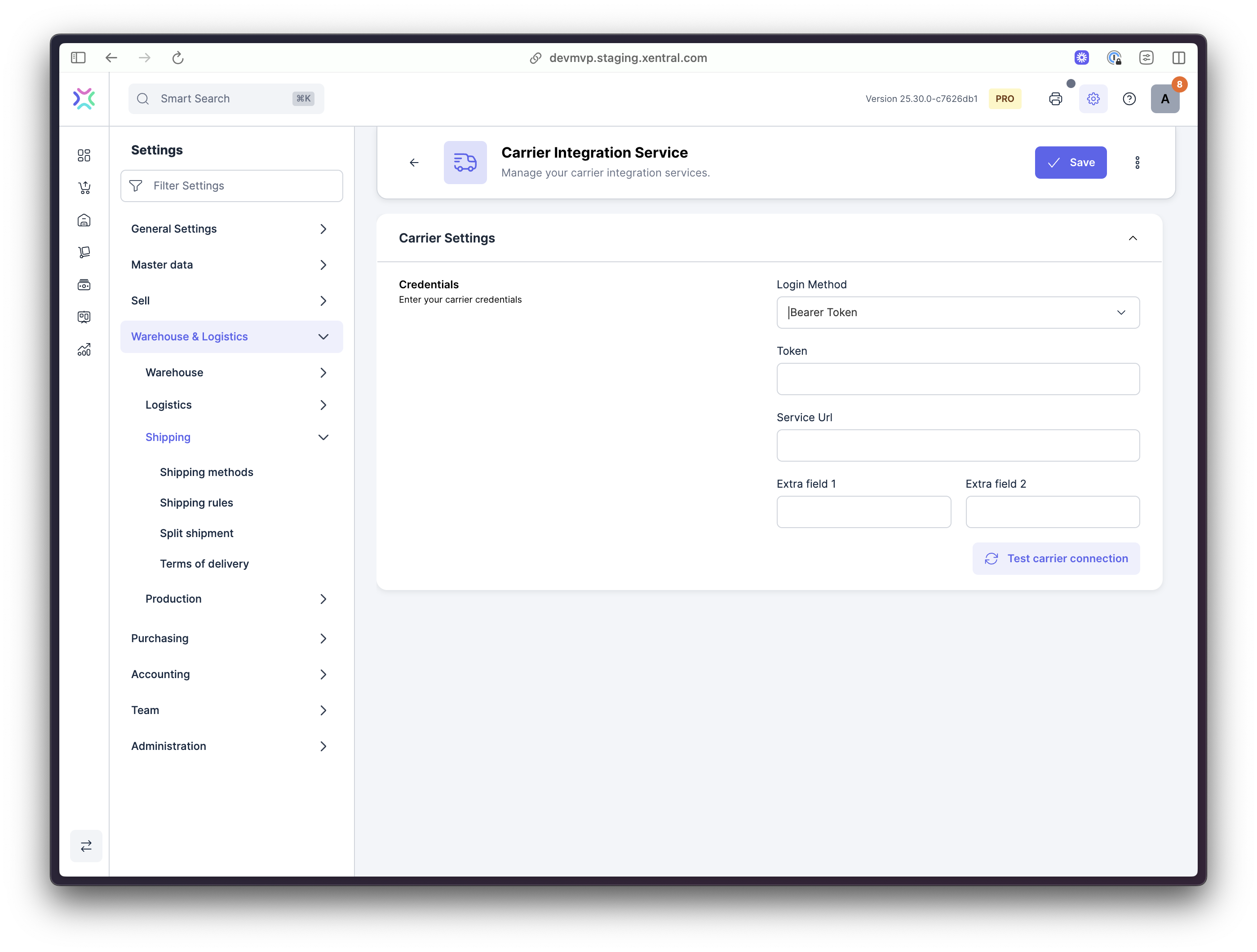
Generates this HTTP request:
curl --request GET \
     --url [Service URL]/xentral/carriers \
     --header 'Accept: application/json' \
     --header 'Authorization: Bearer [Token]' \
		 --header 'Accept-Language: en-US'
Basic Auth
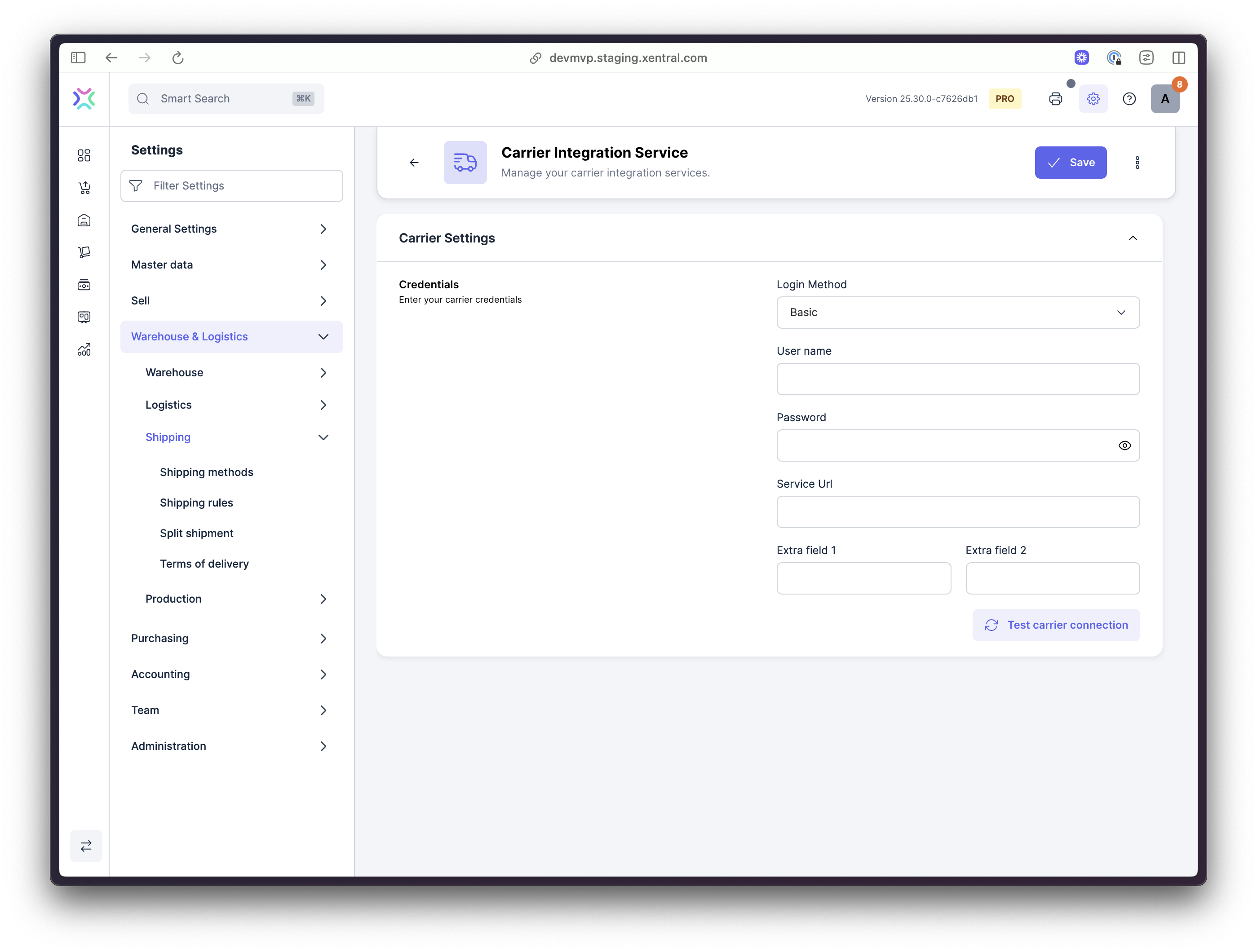
Generates this HTTP request:
curl --request GET \
     --url [Service URL]/xentral/carriers \
     --header 'Accept: application/json' \
     --header 'Authorization: Basic [Base64 encoded user+pass]' \
		 --header 'Accept-Language: en-US'
oAuth Client Credentials
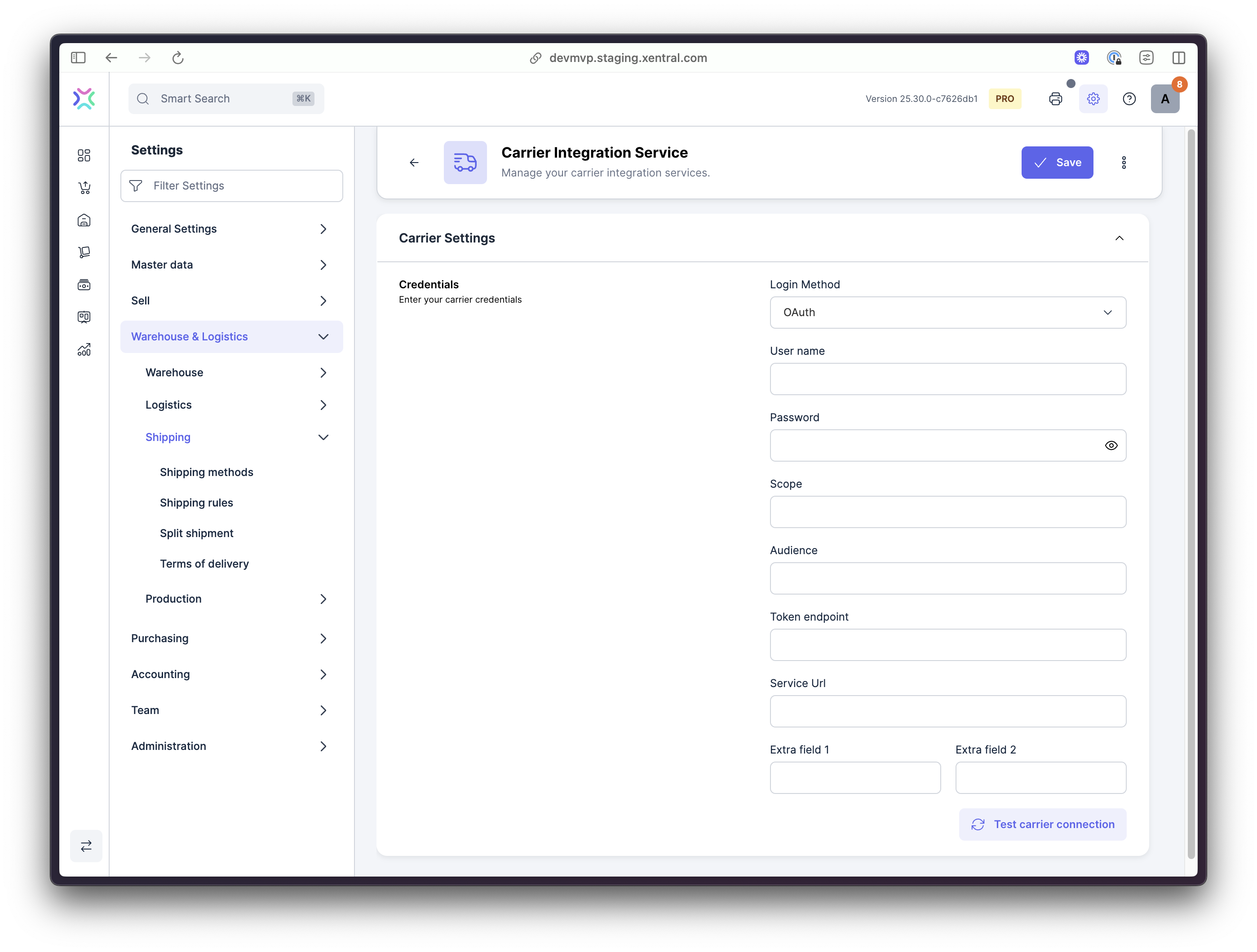
The Scope & Audience fields are optional. This configuration triggers two requests: first an OAuth 2.0 Client Credentials flow to your token endpoint, then:
curl --request GET \
     --url [Service URL]/xentral/carriers \
     --header 'Accept: application/json' \
     --header 'Authorization: Bearer [oAuth Token]' \
		 --header 'Accept-Language: en-US'
Carriers
The carriers array in your response contains all shipping providers accessible with the provided credentials.
Products
Each carrier includes a products array defining available shipping services. Products can be configured for specific use cases (outbound vs. return shipments) or service levels (standard vs. express).
Carrier Options (Custom Configuration Fields)
Extend your carrier's functionality by defining custom configuration options via the carrierOptions array. These options appear in Xentral's "Other Carrier Options" section and allow users to configure carrier-specific features not built into Xentral's core system. The fields that are added can have the following displayContext:
configuration-> This means that they can only be set on the settings screenlabelPrint-> This means that the field will only show up on the label printing stageboth-> This means that the value of the field can be set in settings, but the value can be overwritten in the label print stage.
Example Carrier Options
Age Verification
Implement age verification requirements for delivery using a select dropdown:
// GET https://your-carrier-service.com/xentral/carriers
// Response body:
{
  ...
  "carrierOptions": [
    {
      "type": "select",
      "id": "AGE_CHECK",
      "name": "Age verification",
      "description": "When selected the age of the person receiving the parcel will be validated to be higher than the selected age",
      "required": true,
      "availableValues": [
        {
          "id": "NONE",
					"name": "No age check"
        },
				{
          "id": "AGE_16",
					"name": "16+"
        },
				{
          "id": "AGE_18",
					"name": "18+"
        },
				{
          "id": "AGE_21",
					"name": "21+"
        },
			]
		}
	]
	...
}
Warehouse Pickup Scheduling
Allow users to specify preferred pickup time slots:
// GET https://your-carrier-service.com/xentral/carriers
// Response body:
{
  ...
  "carrierOptions": [
    {
      "type": "select",
      "id": "AGE_CHECK",
      "name": "Age verification",
      "description": "When selected the age of the person receiving the parcel will be validated to be higher than the selected age",
      "required": true,
			"displayContext": "configuration",
      "availableValues": [
        {
          "id": "NONE",
					"name": "No age check"
        },
				{
          "id": "AGE_16",
					"name": "16+"
        },
				{
          "id": "AGE_18",
					"name": "18+"
        },
				{
          "id": "AGE_21",
					"name": "21+"
        },
			]
		}
	]
	...
}
Packaging Weight Compensation
Add configurable weight adjustments for packaging materials:
// GET https://your-carrier-service.com/xentral/carriers
// Response body:
{
  ...
  "carrierOptions": [
    {
      "type": "number",
      "id": "PACKAGING_WEIGHT",
      "name": "Packaging Weight",
      "description": "The amount of weight in grams that should be added to the parcel weight to compensate for packing material.",
      "required": true,
			"displayContext": "labelPrint"
		}
	]
	...
}
Updated 7 months ago